
Survival Mode
XBOT supports the new Survival Mode.
How to setup:
- Head to Accounts page, open the config, expand the Battle section, then choose the Game Mode: Wild Only, Survival Only, Or Wild + Survival
- If Wild + Survival is selected, the bot will alternate between Wild and Survival. We recommend lowering the session interval with this setting
Fees:
| Bracket | VII | VIII | IX | X | XI |
|---|---|---|---|---|---|
| XCredits / Battle | 1 | 2 | 3 | 5 | 5 |
Boost Mode increases these fees by 10%.
Excluding cards from Survival Mode:
Users can (and should) exclude cards from survival mode unless they intend to only play survival mode. This is to ensure you don't run out of cards, and can continue playing other game modes.
- Create a custom set in-game (Items -> Cards Sets -> Create Custom)
- Name the set WildOnly (must be exactly this name)
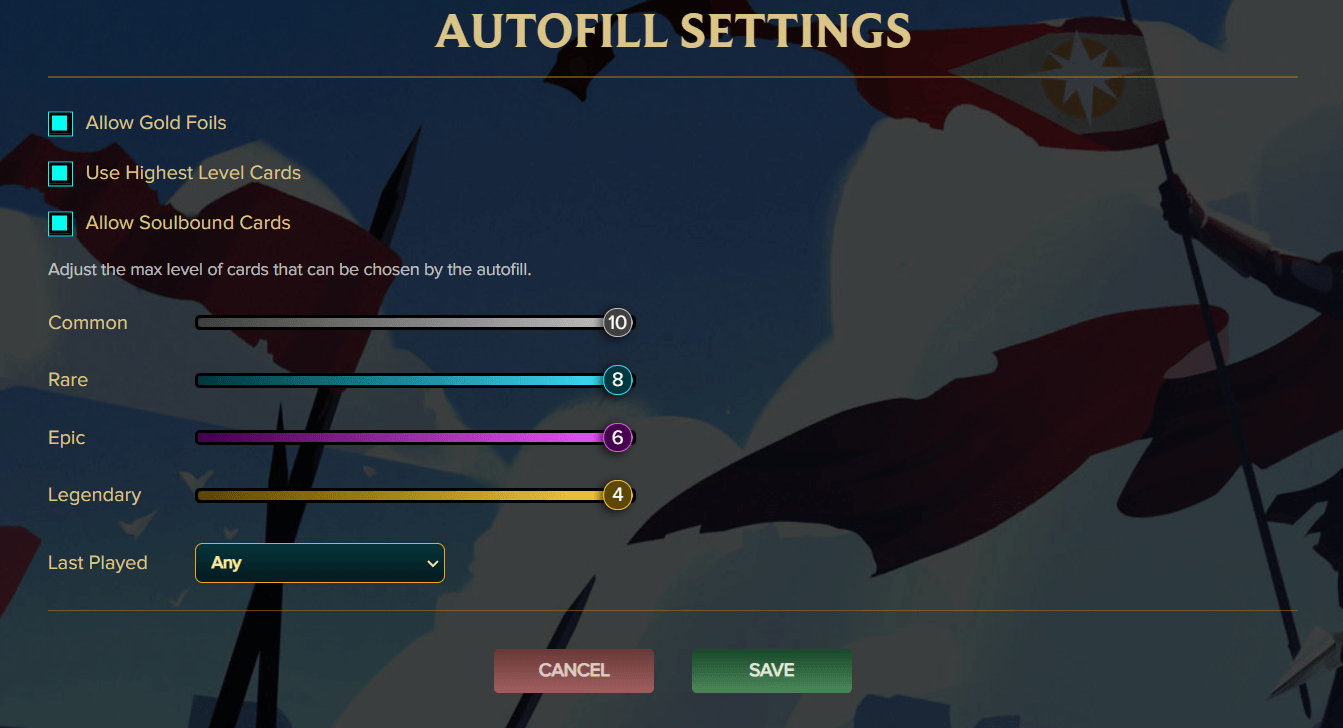
- As a starting point, we recommend excluding the highest level cards available. (Auto-fill is very useful here, see screenshot below)
Additional details:
- Survival mode doesn't use energy, but we're limiting the number of battles in a session to 100. (May be increased in the future)
- You must have at least 2 summoners and 10 monsters to start a session. This is to ensure a valid team can be played